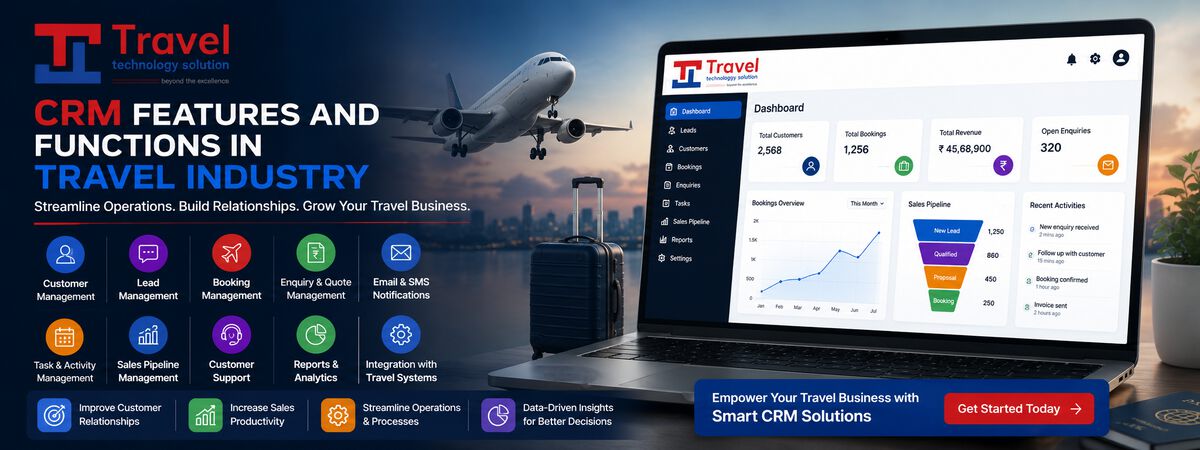
Travel agencies receive enquiries from many places: website forms, WhatsApp, phone calls, email, social media and walk-ins. Without a system, enquiries sit in different inboxes, follow-ups are forgotten and customers book elsewhere. A travel CRM gives every enquiry a clear path from first contact to confirmed booking. This article walks through that lead management workflow step by step.
Step 1: Capture every enquiry
- Website and landing page forms flow straight into the CRM.
- WhatsApp and email enquiries are logged with one click or automatically.
- Phone and walk-in enquiries are entered quickly by staff.
- The source is recorded, such as Google Ads, organic search, social media or referral, so marketing can be measured.
Step 2: Avoid duplicates
The same customer often enquires twice through different channels. The CRM matches by phone number and email, links new enquiries to the existing customer and shows their history: past trips, preferences and previous quotes.
Step 3: Assign the right person
Leads can be assigned automatically by destination, trip type, language or workload, for example, international honeymoons to one team and domestic group tours to another. Fast assignment matters: the first agency to reply often wins the booking.
Step 4: Qualify the lead
- Travel dates, flexibility and number of travellers.
- Destination and type of trip.
- Budget range and hotel category.
- Decision timeline and who decides.
Recording these details helps prioritise hot leads and prepare accurate quotes.
Step 5: Send the quotation
A travel CRM should build quotations quickly, using hotel, transfer and activity rates already stored in the system, and produce a branded itinerary with day-by-day details and prices. Sending options, such as standard and premium, helps customers decide.
Step 6: Follow up
- Automatic reminders for the salesperson at set intervals.
- Templates for WhatsApp and email follow-ups.
- Notes on every conversation, visible to the whole team.
- Status updates: new, contacted, quoted, negotiating, won or lost.
Step 7: Convert and hand over
When the customer confirms, the lead becomes a booking. Payment links, invoices and supplier confirmations are created from the same record, and the trip is handed to operations with all details attached, so nothing is re-typed.
Step 8: Learn from lost leads
Record why leads were lost: price, dates, no response or booked elsewhere. Over time, these reasons show where to improve, such as faster quotes or better pricing on certain destinations.
Reports for managers
- Leads by source and their conversion rates.
- Average response time and time to quote.
- Pipeline value by stage and salesperson.
- Lost reasons by destination.
Nurturing leads that are not ready yet
Many travellers enquire months before they book. Instead of marking these leads as lost, move them to a nurture stage with a reminder near their likely booking time. Send useful content in between, such as visa tips, best time to visit or seasonal offers for their chosen destination. When they are ready to decide, your agency is the one they remember.
In practice: answering faster
A holiday agency found that leads answered within an hour converted far better than leads answered the next day, yet weekend enquiries often waited until Monday. It set up automatic assignment with instant WhatsApp acknowledgements and a weekend rota. Response times dropped, and conversion from weekend leads improved noticeably.
Frequently asked questions
Can a CRM connect to our booking engine?
Yes. A travel CRM connected to your booking engine can pull live prices into quotes and turn won leads directly into bookings.
Do small agencies need a CRM?
Even a three-person agency benefits once enquiries arrive from several channels, because forgotten follow-ups cost bookings.
Key takeaways
- Capture every enquiry in one place, with its source.
- Assign quickly, qualify clearly and follow up consistently.
- Use lost reasons and conversion reports to improve.
Turn more enquiries into bookings with our travel CRM.